Linux installation advise. Packages tricks. Easy explanation and examples for Microsoft admins.

Archive for the ‘Linux’ Category.

Chmod permission management in Linux

I've already mentioned about chown command in the previous article, which allows to assign rights to specific users in Linux system for files and folders.

chmod command says how "much" access to give to a file or a folder.


Format disk in Linux system

Adding and formatting new disk is possible in Linux.

Here the basics. You can use fdisk command.

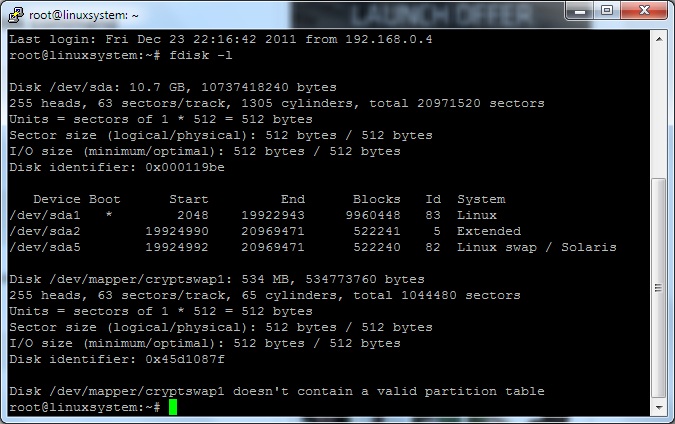
Type fdisk – l

Fdisk command in Linux

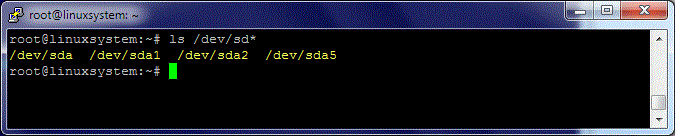
The other way to see presented disks in Linux system is to type  ls /dev/sd*

Disk levices list in Linux

Now you know which disks and partitions exist on the Linux system, and what you would like to format.

The tool mkfs is enough to progress simple formatting. For example to format your partition on disk is necessary

mkfs -t ext4 /dev/sda1

File properties in Linux

To see file properties, like in Windows, you can use command stat following by file or folder.

The following example shows properties of /root folder. Type stat /root

Properties of file or a folder


Create non privilege user – noname

It is necessary sometime to have the user which will be nobody in the system but still be able to run specific process or software on your Linux system.

Usually some  packages like nginx can create such users, usually called nobody. And you can use this nobody for your purpose. But if you wish to have  non privilege user user with specific name, use the simple command useradd.

For instance to create user userx run the following command: useradd -s /bin/false userx.

Non privilege user create user adduser command

To newly created user try id command:

Non privilege user id check using id command

Check free space on Linux

To check free space on Linux file system type: df- h

Check free space on Linux