09/11/2011, 11:32
It is necessary sometime to have the user which will be nobody in the system but still be able to run specific process or software on your Linux system.
Usually some packages like nginx can create such users, usually called nobody. And you can use this nobody for your purpose. But if you wish to have non privilege user user with specific name, use the simple command useradd.
For instance to create user userx run the following command: useradd -s /bin/false userx.

To newly created user try id command:


06/11/2011, 13:48
You can assign rights in Linux by using command chown. It’s easy, all you need is to know which file/s or folder/s you need to assign the permission, and you have right to do so (for instance if you are root user).
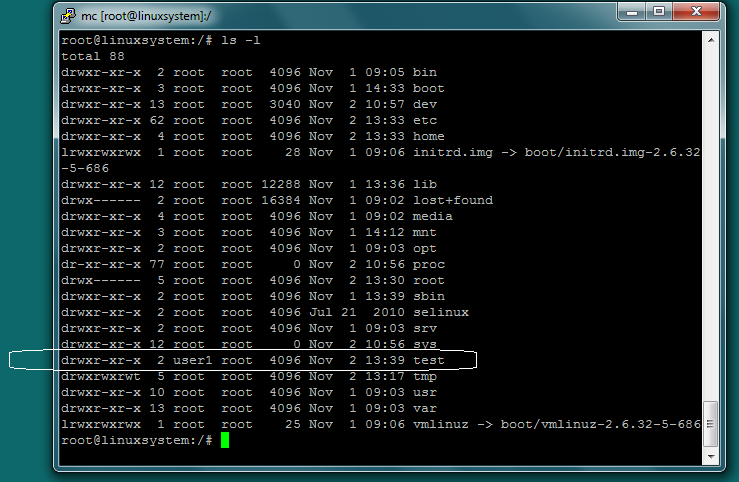
This example shows how to assign user1 permission on folder /test. To do so type: chown user1 /test.

To be sure that the it works, check it by typing: ls –l

As you see now the user user1 have the drwxr-xr-x permissions. Same as it was initially only for root.
To check how to set the right for on files and folder please follow this article.
05/11/2011, 14:08
To add new user in Linux you should have permission to do so. If you are the root user, you can add users into your Linux system.
The command adduser:
Continue reading ‘Simple user and password manage in Linux’ »