 MacPutty
Your servers.
Your Mac.
MacPutty.
A PuTTY-style SSH console for macOS. Bring your keys, save your sessions and make the terminal your own.
Download for Mac ↓Version 1.4.2 · Universal DMG · 3.2 MB
macOS Monterey 12 or later. Intel + Apple Silicon.
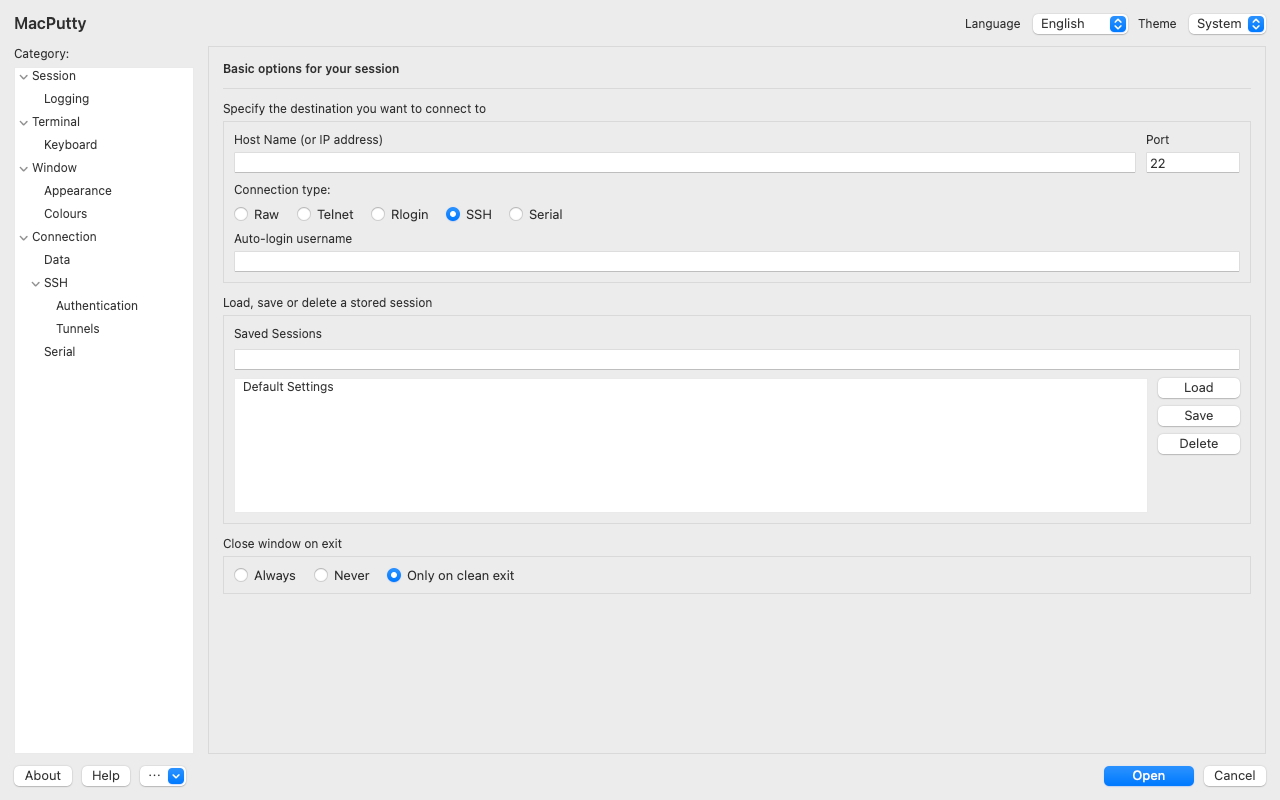
Less setup. More terminal.
Keep your PuTTY keys
Select PuTTY PPK v2/v3 or OpenSSH private keys. Bundled Plink and PuTTYgen handle PuTTY keys locally.
Remember your sessions
Save host, port, username and connection settings. Start with an empty list and add your own servers.
Set your own colours
Start with green text on black. Choose terminal colours and monospaced fonts, including bundled DejaVu Sans Mono.
The terminal,
with room to breathe.
Unicode and xterm emulation, terminal tabs, reconnect controls, SSH forwarding and SOCKS settings. Raw TCP, Telnet, Rlogin and serial settings are available for compatible systems.
SSH encrypts its connection. Legacy protocols such as Telnet and Raw TCP do not provide SSH encryption.
Three steps to your server.
- Open the DMG and drag MacPutty to Applications.
- Enter your server address, port and remote username. Choose your private key under SSH → Authentication.
- Check the host fingerprint with your administrator, then connect.
Direct to your server.
No publisher relay. No advertising or analytics SDKs in the app. Saved profiles remain on your Mac; private keys are used locally.
Terminal traffic goes to the server you choose. Optional local logs may contain sensitive information.
Read the privacy policy →One download.
Both kinds of Mac.
Universal application for Intel and Apple Silicon, with macOS Monterey 12 as the minimum version.
Download universal DMG ↓About this direct download
This build is signed locally (ad-hoc) and is not notarized by Apple. macOS Gatekeeper may prevent it from opening. A Developer ID signed and notarized release is not available here yet.
The Mac App Store edition is being prepared and is not yet available. Its local shell and file access are limited by App Sandbox.
SHA-256 checksum · Release informationA few useful answers.
Is MacPutty the official PuTTY for Mac?
No. MacPutty is an independent native macOS application using PuTTY tools and SwiftTerm. Their licence notices are included in the app.
Which languages does it support?
English, Russian, German, French, Spanish, Brazilian Portuguese and Simplified Chinese. Change the language in the configuration window.
Why does my server refuse a key?
The SSH username must match the remote account where the corresponding public key is installed. Check both the username and selected key. See support for details.